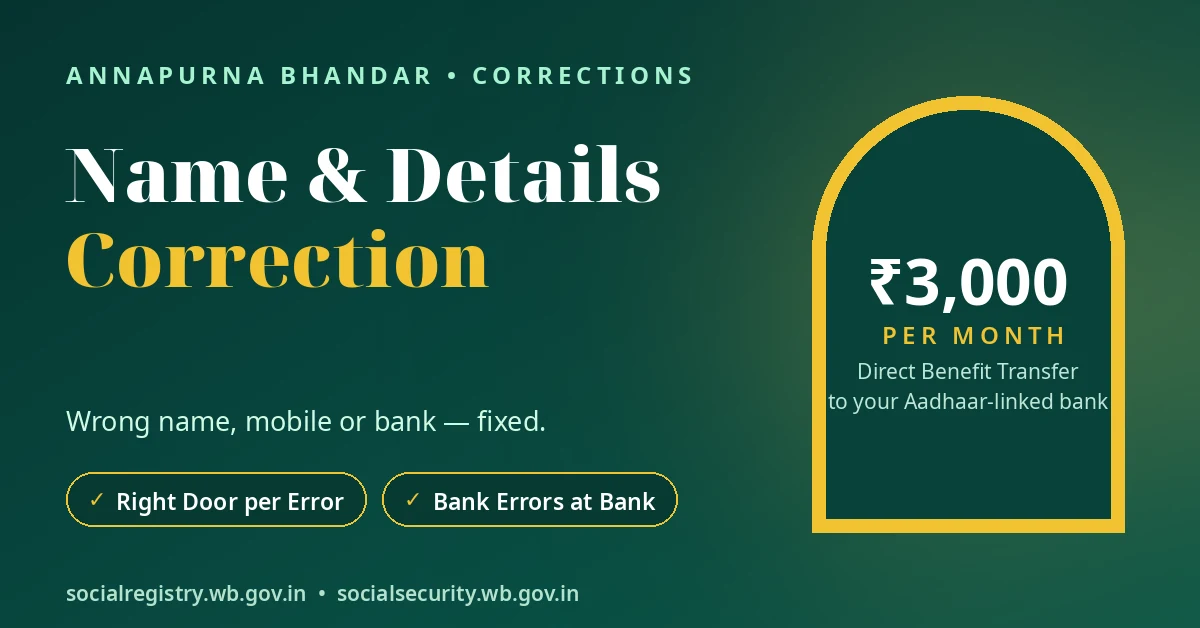
Every annapurna bhandar correction has one correct door. Record errors go to Claim & Objection inside your Family Login. Bank errors go to your bank branch. A lost or dead registered mobile number needs help from your BDO or SDO office. If you contact the wrong place, you may waste months without fixing the problem.
This guide helps you identify the type of error, choose the correct correction route and carry the right documents. The most important thing is to keep your name consistent across your EPIC, Aadhaar, family record and bank account.
Quick Answer
Wrong name or family detail? Log in to the Family Login and submit a Claim & Objection. Upload your EPIC and Aadhaar as proof.
Wrong bank name or Aadhaar linking problem? Visit your bank branch. Only the bank can correct its account records and Aadhaar seeding.
Lost or changed your registered mobile number? Visit your BDO or SDO office with your EPIC and Aadhaar. The portal needs an OTP sent to your old number, so you cannot use the normal login route without it. Do not pay an agent to change your number.
The Routing Table — Error to Door
First, identify where the mistake appears. A wrong name on your family record is different from a wrong name in your bank account. Each one needs a different correction route.
| What is wrong | The door that fixes it | Carry / upload |
|---|---|---|
| Name spelled wrong on the family record | Claim & Objection (Family Login) or BDO / SDO office | EPIC + Aadhaar showing the correct spelling |
| Family detail wrong (income, household or another field) | Claim & Objection (Family Login) | Documents proving the correct detail and your submission note |
| Record missing or incomplete after migration | Claim & Objection + office visit | EPIC + Aadhaar; ask the office to confirm your migration position |
| Bank account name differs from Aadhaar or EPIC | Your bank branch | EPIC, Aadhaar and passbook |
| Aadhaar not seeded or DBT going to an old account | Your bank branch | EPIC, Aadhaar and passbook |
| Registered mobile lost, dead or changed | BDO / SDO office | EPIC + Aadhaar |
Remember one important rule: some problems need two separate corrections.
For example, suppose your family record shows an old spelling and your bank account also has a different name. Correct the family record first through Claim & Objection. Then visit your bank branch and correct the bank-side details. This helps your EPIC, Aadhaar, portal and bank records agree.
Door 1 — Claim & Objection for Record Errors
Use Claim & Objection when your mistake appears in the family record on the West Bengal Social Registry.
This route covers errors such as:
- Wrong spelling of your name.
- Incorrect family information.
- Wrong income or household details.
- Other incorrect fields in your family record.
- Missing or incomplete information after migration.
The Family Login includes a Claim & Objection facility. You can submit a claim and upload documents that support your correction.
How to submit a correction
Follow these steps:
- Open the Family Login on the Social Registry portal.
- Select your district.
- Enter your registered mobile number.
- Enter the OTP sent to that number.
- Open Claim & Objection.
- Choose Claim by Applicant.
- Describe the incorrect detail and provide the correct information.
- Upload documents that prove your correction.
- Submit your claim and note the submission date.
For a name correction, upload your EPIC and Aadhaar showing the correct spelling.
For another family detail, upload documents that support the correct information. Explain the mistake clearly in your submission note. State what the record currently shows and what it should show.
You can follow the complete process in our Claim & Objection step-by-step guide.
What happens after submission?
The BDO or SDO office holds your file and its position. Keep a note of your submission date and the details of your claim.
Do not assume that submitting a claim means the correction has already reached the record. You need to follow the office route if you need to confirm the position of your file.
Important: The government has not published an official decision timeline for these corrections. Do not trust anyone who promises a guaranteed correction date.
What if your record is missing?
A missing or incomplete family record needs attention through Claim & Objection and an office visit.
Carry your EPIC and Aadhaar to the relevant office. Ask the office to confirm your migration position. This matters when your family information did not appear correctly after the migration process.
Do not assume that a missing record means you must submit an entirely new application. First ask the office to check your existing record and migration position.
Door 2 — Your Bank for Bank Errors
Your bank owns your bank account records. The Social Registry and government offices cannot directly change them.
Visit your bank branch if you face any of these problems:
- Your bank account name does not match your Aadhaar or EPIC.
- Your Aadhaar is not seeded with your bank account for DBT.
- Your Aadhaar-based payment goes to an old bank account.
- Your receiving account details need correction.
Take your EPIC, Aadhaar and bank passbook to the branch.
Explain that you receive or expect an Annapurna Yojana DBT payment and need the bank to check the account details. Ask the bank to check the name on your account, Aadhaar seeding for DBT and the account receiving Aadhaar-based payments.
A portal claim cannot correct these bank records. A BDO, SDO or other government office cannot edit your bank account details either.
For the exact bank checks to request, see our bank validation failure guide.
The name mismatch trap
Be careful when you correct your name at the bank.
Suppose your bank account shows your correct name, but your family record still shows the old spelling. Changing only the bank record will not solve the entire problem. The portal and bank may still show different names.
You need to keep the name consistent across all four records:
- EPIC (voter card).
- Aadhaar.
- Social Registry family record.
- Bank account.
If the family record contains the mistake, use Claim & Objection first. Then check your bank record separately if it also contains an error.
Do not expect one correction to update every other record automatically.
Door 3 — The Office for a Dead Registered Mobile
Your registered mobile number matters because the Family Login uses it for OTP verification.
The login process starts with your district and registered mobile number. The portal then sends an OTP to that number.
This creates a problem if you lose your phone, stop using the SIM or change your mobile number. You cannot complete the normal login process if you cannot receive the OTP on your old registered number.
The portal’s Claim & Objection facility also requires Family Login access. Therefore, you cannot use that route normally when your old number no longer works.
If you are facing an OTP problem, first check whether you can revive your old SIM through your mobile company. Our OTP not coming guide explains the checks to try before visiting an office.
Where should you go?
If you cannot recover your registered number, use the office route.
Rural area: Visit your BDO office.
Urban area: Visit your SDO office.
KMC area: Visit your KMC Ward office.
Carry these two documents:
- EPIC (voter card).
- Aadhaar.
Explain that you lost access to the mobile number registered on your Annapurna family record. Ask the office how to correct the registered mobile number.
Keep a dated note of your visit. This gives you a record of when you requested help.
Do not pay an agent to change your number
Be careful if someone at a shop or through a phone call offers to transfer your registration to a new mobile number for a fee.
No agent or shop can transfer your registered number through an authorised correction route described here. Anyone selling this service follows a documented fraud pattern.
Do not share your OTP or bank details with strangers. If someone tries to cheat you through a fake correction service, report cyber fraud on 1930.
বাংলায় সংক্ষেপে
Family record-এ নাম বা অন্য তথ্য ভুল থাকলে Family Login-এর Claim & Objection ব্যবহার করুন।
প্রমাণ হিসেবে EPIC ও Aadhaar upload করুন।
Bank account-এ নামের ভুল বা Aadhaar seeding-এর সমস্যা হলে আপনার bank branch-এ যান।
Registered mobile হারিয়ে গেলে বা বদলে গেলে EPIC ও Aadhaar নিয়ে BDO / SDO office-এ যান।
EPIC, Aadhaar, portal এবং bank record-এ নামের বানান একই রাখুন।
Correction করার জন্য কোনও agent বা দোকানকে টাকা দেবেন না।
Conclusion
Annapurna Bhandar correction has three separate doors. Fix a family-record error through Claim & Objection inside the Family Login. Solve a bank account or Aadhaar seeding problem at your bank branch. Take a lost or changed registered mobile number to your BDO, SDO or KMC Ward office.
First, find where the mistake lives. Then go to the one door that owns it, carrying the right proof. Keep the same name spelling across EPIC, Aadhaar, the portal record and the bank account. That single habit saves you weeks of knocking on wrong doors.
Disclaimer: This website is an independent information guide. It is not a government website and has no affiliation with the Government of West Bengal. We cannot correct any family record, bank detail or mobile number. Use the official routes explained in this guide. We do not collect your personal details.
FAQs
How do I correct a wrong name in Annapurna Bhandar?
Log in to the Social Registry Family Login using your district, registered mobile number and OTP. Open Claim & Objection, select Claim by Applicant, explain the spelling mistake and upload your EPIC and Aadhaar as proof. You can also contact your BDO or SDO office.
My name differs on my bank account and Aadhaar. Who fixes it?
Your bank branch handles the bank account name and Aadhaar seeding. Carry your EPIC, Aadhaar and bank passbook when you visit. If your family record also has a spelling mistake, correct that separately through Claim & Objection.
Can I edit my details directly on the portal?
There is no documented self-service edit facility for these corrections. Use Claim & Objection inside the Family Login for family-record errors and upload supporting documents. Bank errors need your bank branch, while registered mobile problems need office help.
I changed my mobile number. How do I update it?
If your old registered number still works, first try to recover access to its SIM through your mobile company. If you cannot receive the OTP, visit your BDO office in a rural area, SDO office in an urban area or KMC Ward office with your EPIC and Aadhaar.
How long does a correction take?
The government has not published an official decision timeline for Claim & Objection corrections. The BDO or SDO office holds your file and its position. Note your submission date and contact the relevant office to ask about your claim.
Do I need to apply again after a correction?
Do not assume that a correction requires a fresh application. First ask the relevant office to check your existing family record and migration position. Use Claim & Objection for record errors and your bank branch for bank-side errors.
An agent offered to correct everything for one fee. Should I pay?
No. Do not pay an agent or shop to transfer your registered mobile number or promise corrections across different records. Use Claim & Objection, your bank branch or the relevant government office, depending on the error. Report cyber fraud on 1930.
Portal details last checked: 10 November 2026.