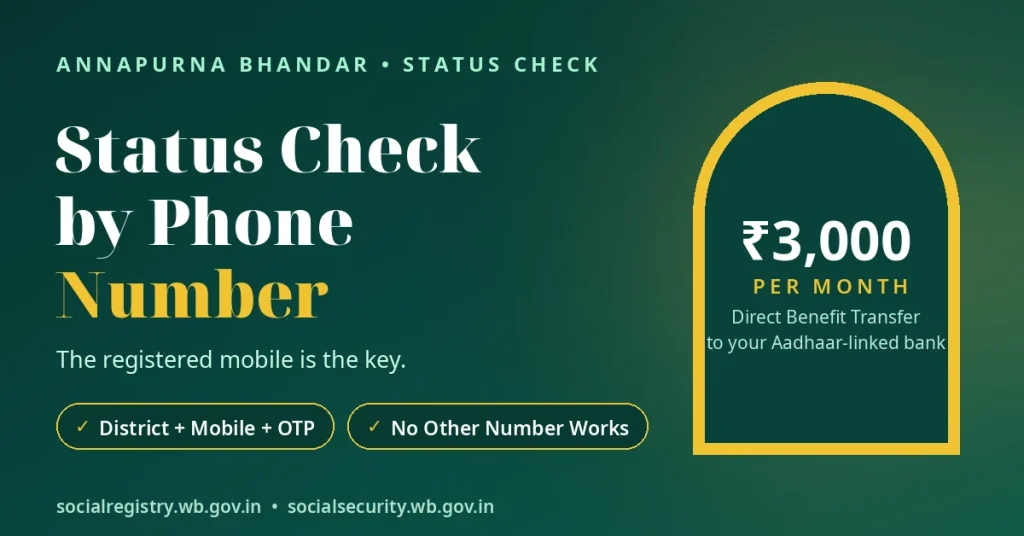
Yes, you can check your annapurna bhandar status check by phone number through both official government routes. The Social Security portal’s public tracker uses your registered mobile number, while the Social Registry Family Login requires your district, the same mobile number and an OTP.
This article explains both checking methods step by step. You will also learn which phone number works, why another number cannot open your record, and what to do if you have changed or lost access to your registered number.
Quick Answer
You can check your Annapurna status using the mobile number you provided in your application.
On socialsecurity.wb.gov.in, choose Track Applicant Status and enter that number. You do not need a login or OTP.
On socialregistry.wb.gov.in, choose Family Login, select your district, enter the same number and verify the OTP sent by the portal.
Another person’s number or a different number will not open your record.
Route 1 — Track Applicant Status With Your Number
The first option is the public tracker on the official Social Security portal. Open the official Social Security portal to access its applicant-status section.
Follow these steps:
- Open the official portal address in your phone’s browser.
- Find and choose Track Applicant Status.
- Do not select the Login button. That option is labelled for office users only.
- Enter the mobile number you provided in your Annapurna application.
- Submit your number to check your application status.
You do not need to sign in as an office user to use the public tracking option.
Important note about the tracker fields: The government has not officially published the tracker’s inputs. Guides that inspected the live page report that the tracker asks for the registered mobile number. Some older websites list Aadhaar, application ID or Swasthya Sathi card details as alternative tracking fields. Those pages copy the old Lakshmir Bhandar tracker, so do not follow them.
The Track Applicant Status step-by-step guide explains the public tracker and its reported inputs in more detail.
Route 2 — Family Login With Your Number + OTP
The second option uses the West Bengal Social Registry. Its Family Login connects your registered mobile number with your family record and application status.
Open the official Social Registry portal and follow these steps:
- Open the Social Registry website.
- Choose Citizen / Family Login.
- Select your district.
- Enter the same mobile number you provided in your application or Family Level Data Collection form.
- Enter the 6-digit OTP that the portal sends to your registered number.
- Complete the login to open your family record.
Inside your record, you can check your application status. You can also access the Claim & Objection facility and upload documents when the portal asks for them.
The Family Login uses your district, registered mobile number and OTP together. Entering a different number will not open your record.
For more information about login, application records and available facilities, see the Social Registry guide.
Which Number Works — and Which Never Will
The most important detail in an Annapurna Bhandar status check is the mobile number you gave when you applied. Your record is linked to that number.
Both official checking routes depend on that registered number. Your current phone number does not automatically replace it. If you use a new number, the portals cannot find your record.
| Number you try | Result |
|---|---|
| The number on your application / data-collection form | Opens your record on both routes. This is your registered number. |
| A new SIM with the SAME number | Works. The number matters, not the handset or SIM card. |
| A different number (husband’s, son’s, a neighbour’s) | Finds nothing. Records open only with the registered number. |
| A number you stopped using before applying | Only works if it is the number written on your application. |
Keep your registered number active. Your OTP and access to your application record both depend on it.
Changed Your Number? Read This First
If you changed your mobile number after applying, you may have trouble opening your Annapurna record. Do not trust a website or agent who offers to change your number online for a fee.
No official source documents a self-service “change mobile number” facility on either portal. Be careful with any online offer that promises to update it for payment.
You have two practical routes to address the problem.
Use Claim & Objection on the Social Registry
If you can still access your Family Login, check the Claim & Objection facility. It handles record-related problems and allows document upload.
The Social Registry Claim & Objection guide explains how this facility works.
Contact your BDO or SDO office
Your BDO or SDO office handles record corrections at the source. If you cannot access your registered number, visit the office that handled your application.
You can also read the Annapurna correction guide for information about corrections to your name, mobile number and bank details.
Important: If you have completely lost access to your registered number, the office route is your reliable path. An OTP you cannot receive cannot be bypassed by any website.
Right Number Entered — Still Nothing Shows
Sometimes you enter the correct mobile number but cannot find your Annapurna record. This does not always mean that your application is wrong. Check these three possible reasons.
Wrong digits
Check every digit of your registered number. One incorrect digit or an extra space can stop the portal from finding your record.
Take your application or Family Level Data Collection form and compare the number carefully. Retype it slowly and check it again before you submit it.
Record not uploaded yet
A fresh application does not appear immediately.
The administration follows several steps before uploading a sanctioned record:
- Authorised officials enquire into the application.
- The BDO or SDO recommends the eligible list online.
- The District Magistrate sanctions the list. The KMC Commissioner handles this role in the Kolkata/KMC area.
- Officials upload the sanctioned report to the Annapurna Yojana portal.
If your application has not completed these stages, your record may not appear yet. Wait and check again after some time.
Migration gap
Annapurna Yojana replaced Lakshmir Bhandar from 1 June 2026. However, the government notification excluded some categories from the automatic migration.
These include dead, shifted, deleted and absentee electors identified during SIR-2026, along with other specified exclusions.
If your old Lakshmir Bhandar record never appeared under Annapurna, contact your BDO or SDO office.
The Annapurna status not showing guide explains these problems and the next steps you can take.
Keep Your Number Safe
Your registered mobile number gives access to important application information. Protect it whenever you check your status online.
Follow these safety rules:
Do not share OTPs.
The public Track Applicant Status option does not ask for an OTP, PIN or password. The Family Login OTP comes only from the official portal. Never read your OTP to a caller or agent.
Type portal addresses yourself.
Avoid suspicious links sent through WhatsApp, SMS or Facebook. Look-alike websites can harvest your mobile and bank details. Bengal Police ran an awareness campaign about such mirror websites.
Report cyber fraud.
If you face cyber fraud, report it on 1930.
Remember: this website never asks for your phone number, Aadhaar or OTP. Any page that asks you for these details is not this website and is not the government.
You should only enter your details on the relevant official government portal.
বাংলায় সংক্ষেপে
অন্নপূর্ণা যোজনার স্ট্যাটাস চেক করতে আবেদনপত্রে দেওয়া registered mobile number ব্যবহার করতে হয়।
socialsecurity.wb.gov.in-এ Track Applicant Status বেছে নিয়ে শুধু মোবাইল নম্বর দিন। এখানে login বা OTP দরকার হয় না।
socialregistry.wb.gov.in-এ Family Login করতে district, একই registered number এবং OTP দিতে হয়।
অন্য কারও নম্বর বা নতুন আলাদা নম্বর দিয়ে নিজের রেকর্ড খোলা যাবে না। তবে একই নম্বরের নতুন SIM ব্যবহার করা যাবে।
মোবাইল নম্বর বদলে গেলে BDO বা SDO অফিসে যোগাযোগ করুন। Family Login ব্যবহার করতে পারলে Claim & Objection সুবিধা ব্যবহার করুন।
কোনও caller বা agent-কে OTP দেবেন না। নিজের মোবাইল নম্বর ও ব্যক্তিগত তথ্য নিরাপদ রাখুন।
Conclusion
Your registered mobile number is the key to both Annapurna Bhandar status-check routes. Use it on the official Social Security and Social Registry portals. The public tracker needs only that number, while Family Login also needs your district and an OTP.
Keep that number active and safe. If you change it or lose access, use the Claim & Objection facility where possible and visit your BDO or SDO office for a record correction.
Disclaimer: This website is an independent information guide. It is not a government website and has no affiliation with the Government of West Bengal. We cannot check, approve or change your application, and we never ask for your phone number or any personal details. Use the official government portals for every status check.
FAQs
Can I check my Annapurna status with my phone number?
Yes. Both official checking routes use the mobile number you provided in your application. You can use the public Track Applicant Status option without a login or OTP, or use Family Login with your district, the same number and the OTP.
Which phone number works for the status check?
Use the number written on your application or Family Level Data Collection form. Both portals depend on that registered number. A new SIM with the same number works, but a different number does not.
Can I check the status with my husband’s or a family member’s number?
No. Another person’s number will not open your application record. You must use the mobile number written on your application.
I changed my mobile number. How do I check my status now?
If you can still access Family Login, check the Claim & Objection facility. Otherwise, contact your BDO or SDO office for a record correction. Do not trust an agent or website that offers to change the number online for a fee.
Do I need an OTP to check my status by phone number?
It depends on the route. Track Applicant Status reportedly needs only your registered mobile number, while Family Login needs the 6-digit OTP sent to that number.
Why does my correct number show no record?
Check the digits first. Your application may not have completed the enquiry, recommendation, sanction and upload stages yet. It may also fall under the SIR-2026 migration exclusions. If the problem continues, contact your BDO or SDO office.
Is it safe to type my number on a status-check website?
Use only the official government portals. Avoid suspicious links and never share your OTP with callers or agents. This website never asks for your phone number, Aadhaar or OTP.
Portal details last checked: 10 November 2026.