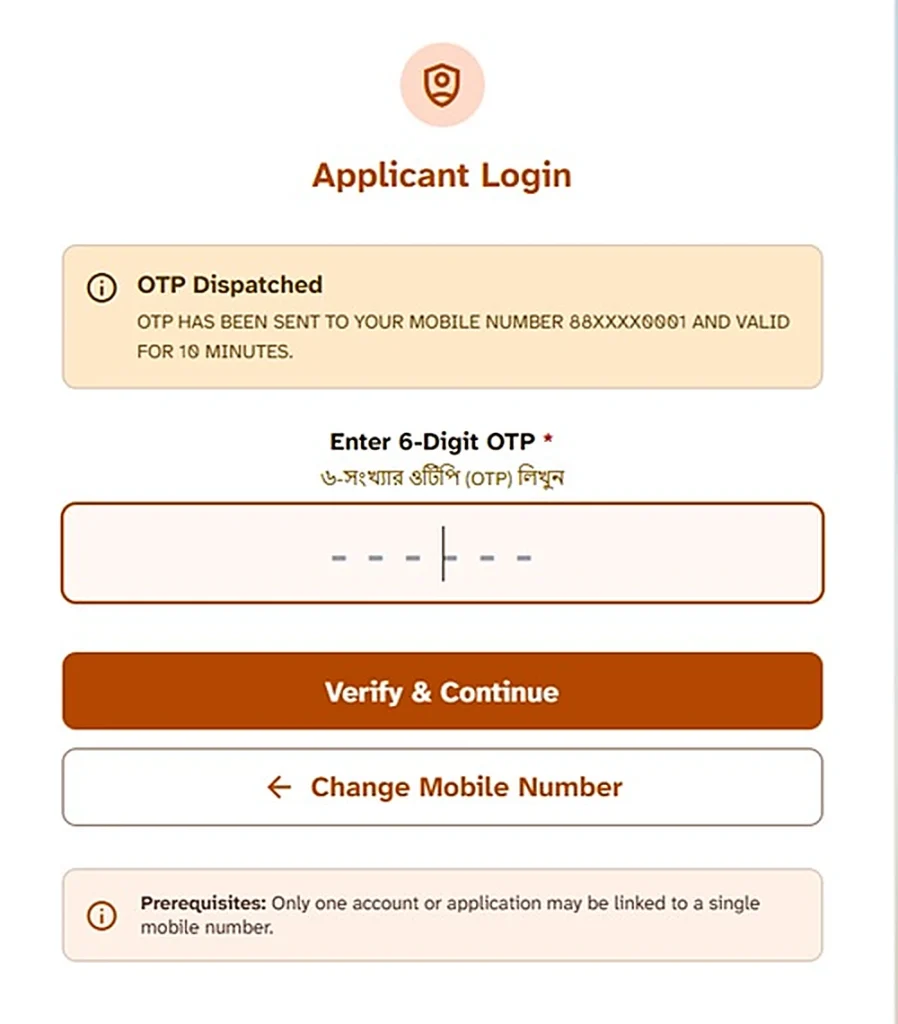
An otp not coming social registry problem usually has a simple cause: the portal sends the OTP only to the mobile number you gave on your application. You need that exact number, its SIM in your phone, and a working network signal. A new mobile number will not receive the OTP.
Follow the fixes in the right order. Check your registered number first, then your SIM and network, and finally the portal itself. Do not assume that the government deleted your family record just because an OTP does not arrive.
Quick Answer
The Social Registry sends the OTP only to the mobile number you entered on your application. Check that the exact SIM sits in your phone and has a working signal. Wait a few minutes before trying again.
Repeated, rapid attempts will not solve the problem and may add to portal load. If you changed your registered number, no OTP trick can fix it. You must follow the office route to correct your family record.
Run the Fixes in This Order
Do not try random solutions. Work through these four checks one by one.
| Step | Check | Why it matters |
|---|---|---|
| 1 | Are you using the number from your application? | The OTP goes only to the registered number. A newer number receives nothing. |
| 2 | Is that SIM in a phone with signal right now? | No signal means no SMS. Move to an open space, restart your phone, and try again. |
| 3 | Did you wait before retrying? | SMS messages can take time. Give the first request a few minutes before asking again. |
| 4 | Is the portal itself busy or the login paused? | The government has temporarily withdrawn portal modules before. The same page may work later. |
Work down the list in order. Most OTP problems come from step 1 or step 2.
The Number Problem — the Deep Version
The Family Login checks your district and the mobile number registered with your application. Both details must match your family record.
The portal does not send an OTP to just any number you enter. It sends the code to the registered mobile number.
You changed your mobile number after applying
Suppose you submitted your Annapurna Yojana application using your old mobile number. You later bought a new SIM and started using a different number.
The Social Registry still sends the OTP to your old number. Entering your new number will not redirect the message.
You must use the number that you provided during the application or Family Level Data Collection process. For more details about how the registered number works across the checking routes, see our Annapurna mobile number guide.
Your old SIM is lost or no longer works
This situation needs a different solution.
First, contact your mobile company and ask whether you can recover or reactivate your old SIM. If you cannot revive it, you cannot receive the Family Login OTP through that number.
Take your EPIC (voter card) and Aadhaar to your BDO office in a rural area or SDO office in an urban area. Ask the office how to correct the registered mobile number on your family record.
Do not expect the login page to change your registered number automatically.
If you also face a problem with your family record, our Claim and Objection guide explains the record-related route.
Can an agent shift the OTP to your new number?
No. There is no facility for an agent, shopkeeper, or cyber café operator to shift your OTP from your old number to a new one.
Do not pay anyone who promises to redirect the OTP. Follow the official office route if you have lost access to your registered number.
The Portal Problem — When It Is Not Your Fault
Sometimes your number and SIM are correct, but the OTP still does not arrive. In that case, the portal itself may have a problem.
Heavy portal traffic can delay OTPs
The Social Registry may receive heavy traffic around payment and enrolment periods. Many people may try to access the portal at the same time.
This can slow down login requests and OTP delivery.
Instead of requesting an OTP twenty times in ten minutes, wait and try again later. You can try later the same day or the next morning.
Repeated rapid retries will not make the government portal respond faster.
The citizen login option may be temporarily unavailable
The portal has also withdrawn some facilities temporarily in the past. For example, the citizen login was paused around August 2026.
If you cannot find the Family Login option, the problem may come from the portal’s current state rather than your phone or application.
A missing login option does not automatically mean that the government deleted your family record.
Our Annapurna portal login guide explains the different login routes and what to check when the citizen login option does not appear.
When should you try again?
Follow a simple approach:
- Check your registered number.
- Confirm that the correct SIM sits in your phone.
- Check your signal.
- Restart your phone.
- Wait a few minutes before another attempt.
- If the portal still does not respond, try later the same day or the next morning.
Date note: We last checked the portal details on 10 November 2026. Government portal facilities can change, so always judge the available options by the official page in front of you.
The One Safety Rule — Your OTP Is Yours Alone
Your OTP protects access to your family record. Never share it with another person.
Nobody legitimate needs you to read out your OTP. That includes portal staff, bank staff, agents, cyber café operators, and this website.
Read the OTP only on the official portal page that you opened yourself. Do not send it through a phone call, SMS, WhatsApp message, or social media chat.
Beware of people offering to arrange your OTP
Fraudsters may offer to arrange an OTP or help you complete your Annapurna login.
Fake helpers and mirror websites can collect mobile numbers, OTPs, and bank details. Bengal Police has also run an awareness campaign about these scams.
Follow these rules:
- Do not share your OTP with anyone.
- Do not give your bank details to unknown helpers.
- Do not trust people who promise to redirect or arrange an OTP.
- Do not enter your details on a suspicious website.
- Use only the official portal page you opened yourself.
If someone commits cyber fraud against you, report it on 1930.
What if you already shared your OTP?
Act quickly. Treat your bank account as being at risk and contact your bank on the same day.
Do not wait for another suspicious message or phone call before taking action.
Remember, a genuine helper cannot read your OTP or arrange a replacement for your registered number.
বাংলায় সংক্ষেপে
Social Registry-এর OTP শুধুমাত্র application-এ দেওয়া registered mobile number-এই আসে। নতুন mobile number-এ OTP আসে না।
সঠিক SIM ফোনে আছে কিনা এবং ফোনে network signal আছে কিনা যাচাই করুন। প্রয়োজনে ফোন restart করে আবার চেষ্টা করুন।
বারবার তাড়াতাড়ি OTP চাওয়ার বদলে কয়েক মিনিট অপেক্ষা করুন।
Registered number বদলে গেলে portal দিয়ে OTP পাওয়া যাবে না। EPIC ও Aadhaar নিয়ে BDO বা SDO office-এ যান এবং family record-এ mobile number সংশোধনের নিয়ম জেনে নিন।
কাউকে নিজের OTP বলবেন না। কোনো agent, দোকানদার বা website আপনার জন্য OTP arrange করে দিতে পারে না।
Conclusion
If your Social Registry OTP does not arrive, check the registered number first. Then check the SIM, phone signal, and network. Restart your phone and give the portal a few minutes before trying again.
If everything looks correct but the OTP still does not arrive, the portal may be busy or its citizen login facility may be temporarily unavailable. Keep your OTP private, and use the BDO or SDO office route if you have lost access to your registered number.
Disclaimer: This website is an independent information guide. It is not a government website and has no affiliation with the Government of West Bengal. We cannot send, resend, or read OTPs. We collect no personal details. The OTP travels only between the official portal and your registered mobile number.
FAQs
Why is my Social Registry OTP not coming?
The most common reason is that you are not using the mobile number registered with your application. Check that number first, then check your SIM and network signal. Portal traffic or a temporarily unavailable login facility can also cause delays.
Can the OTP come to my new mobile number?
No. The portal sends the OTP only to the registered number from your application. If you changed your number, you must follow the office route to correct your family record.
My registered SIM is lost. What can I do?
First, ask your mobile company whether you can recover your old SIM. If you cannot, take your EPIC and Aadhaar to your BDO or SDO office and ask how to update the registered mobile number on your family record.
How long should I wait for the OTP?
Wait a few minutes after your first request before trying again. SMS delivery can take time. Do not make repeated rapid requests.
I retried many times and still got nothing. What now?
Stop making repeated requests. Check your registered number, SIM, and signal again. Then try later the same day or the next morning in case the portal is busy.
Can an agent or cyber café arrange my OTP?
No. Nobody can arrange or redirect your OTP to another number. Never share your OTP with an agent, cyber café operator, or stranger.
Is my record deleted if the OTP never arrives?
No. An OTP delivery problem alone does not prove that the government deleted your family record. First check your registered number and the portal’s availability before assuming that your record has a problem.
Portal details last checked: 10 November 2026.