You can annapurna bhandar apply online through the official West Bengal Social Registry portal, or apply offline using the same Family Level Data Collection form at your BDO, SDO or KMC Ward office. These are the two official application routes. No other website, mobile app or agent can accept your application.
Both routes use the same form. You need only three mandatory documents: EPIC (voter card), Aadhaar and an active mobile number. The application is free, but online applications open only during announced windows. If the online form is closed, you can use the office route.
Quick Answer
To apply for Annapurna Bhandar, fill out the Family Level Data Collection form at your BDO, SDO or KMC Ward office, or apply online at socialregistry.wb.gov.in. You need only your EPIC, Aadhaar and an active mobile number. The form is completely free. Applications open in specific windows. If the online form is closed, check with your local office or wait for the next application window.
Before You Apply — A 30-Second Check
Before you start your Annapurna Yojana application, check the eligibility rules and prepare your three mandatory documents.
Check your eligibility
The official eligibility conditions require you to meet all these points:
- You must be a female resident of West Bengal.
- You must be between 25 and 60 years old on the date of application.
- You must not work in permanent government employment with a regular salary or pension.
- You must not pay income tax.
The government gives first priority to the poorest of the poor. However, this priority statement does not create a fixed family-income ceiling.
Keep these three documents ready
You need only:
- EPIC (voter card).
- Aadhaar card.
- An active mobile number.
These are the three documents on the official mandatory list. You do not need to arrange additional documents just to meet the basic application requirement.
Important: A ration card is NOT mandatory. Some websites and agents may claim that you need a particular ration-card category, but the official rules do not support that claim.
For the complete eligibility conditions and document requirements, see our Annapurna Yojana eligibility and documents guide.
Route 1 — Apply at Your BDO / SDO / KMC Ward Office
You can apply offline by collecting and completing the Family Level Data Collection form. Choose the office that serves your area.
Follow these steps:
Find your office.
Visit your BDO office if you live in a rural area, your SDO office if you live in an urban area, or your KMC Ward office if you live in Kolkata.
Ask for the correct form.
Request the Family Level Data Collection form for Annapurna Yojana.
Fill in your family details.
Enter the required information carefully. The form asks about your identity, family, income and other details.
Show your documents.
Provide or show your EPIC, Aadhaar and active mobile number as the office directs.
Submit your form.
Hand in the completed form and keep whatever acknowledgement the office gives you.
Is the offline application free?
Yes. The Family Level Data Collection form is free at the office.
Do not pay anyone for the form or for speeding up your application. No agent has an official role in accepting Annapurna Yojana applications.
What about Jan Kalyan Shivir camps?
The West Bengal government also organised Jan Kalyan Shivir camps on 15–17 June 2026 under the official SOP. Staff collected Family Level Data Collection forms during these camps.
However, these camps were dated events. They are not a permanent third application route. The two official routes remain the office form and the online Social Registry form.
Route 2 — Apply Online on the Social Registry
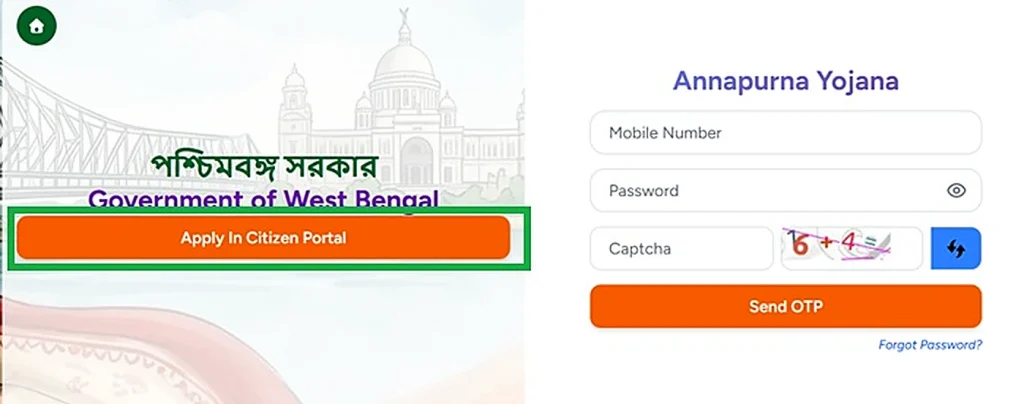
If you prefer using your phone, you can apply through the official West Bengal Social Registry.
Visit the official Social Registry portal. Look for the Family Level Data Collection facility.
Follow these steps:
Open the official portal.
Type socialregistry.wb.gov.in into your browser. Check the website address before entering personal information.
Choose the Family Level Data Collection facility.
Use the application facility to access the form. It is the same form that BDO, SDO and KMC Ward offices collect.
Enter your family details.
Complete the required fields carefully. Check your EPIC details, Aadhaar numbers and contact information before continuing.
Use an active mobile number.
Enter a number that you expect to keep. Your mobile number becomes important later because your record and OTP login use it.
Submit during an open window.
Complete the application while the portal accepts new entries.
What happens after online submission?
Your family record stays connected to the mobile number you entered. You can later use the Citizen or Family Login to access your record and check its status.
The same Social Registry login also carries the Claim & Objection facility. It includes options for submitting a claim or raising an objection, along with document upload.
Our Social Registry WB portal guide explains the login, application status and Claim & Objection facilities.
What if the online form is not available?
The online application facility does not remain open permanently. The government opens applications during specific windows and closes new applications between those windows.
When the portal stops accepting new entries, use the offline route at your BDO, SDO or KMC Ward office. Check with your local office for information about the application process.
Do not assume that a missing online application option means the scheme has ended.
What the Form Asks You
The Family Level Data Collection form collects information about you and your family. It covers more than the three mandatory documents.
Here are the main information categories:
| Form section | Information requested |
|---|---|
| EPIC details | Voter card information |
| Aadhaar details | Aadhaar numbers |
| Contact information | Mobile number |
| Ration card | Ration-card information |
| Family assets | House, land and vehicle details |
| Income | Annual family income |
| Personal details | Religion |
| Insurance | Health insurance information |
| Tax details | Income-tax information |
| Education | Education details |
| CAA/SIR | CAA/SIR 2026 details, if applicable |
| Other benefits | Other DBT benefits |
| Disability | Disability information |
Does the ration-card field mean I must have a ration card?
No. The form asks for ration-card information, but that does not make a ration card mandatory.
Keep this distinction clear: the form collects several types of family information, but the official mandatory document list contains only EPIC, Aadhaar and an active mobile number.
For a closer explanation of the individual fields and what they mean, visit our Family Level Data Collection form guide.
Application Windows, Camps and the “Last Date” Question
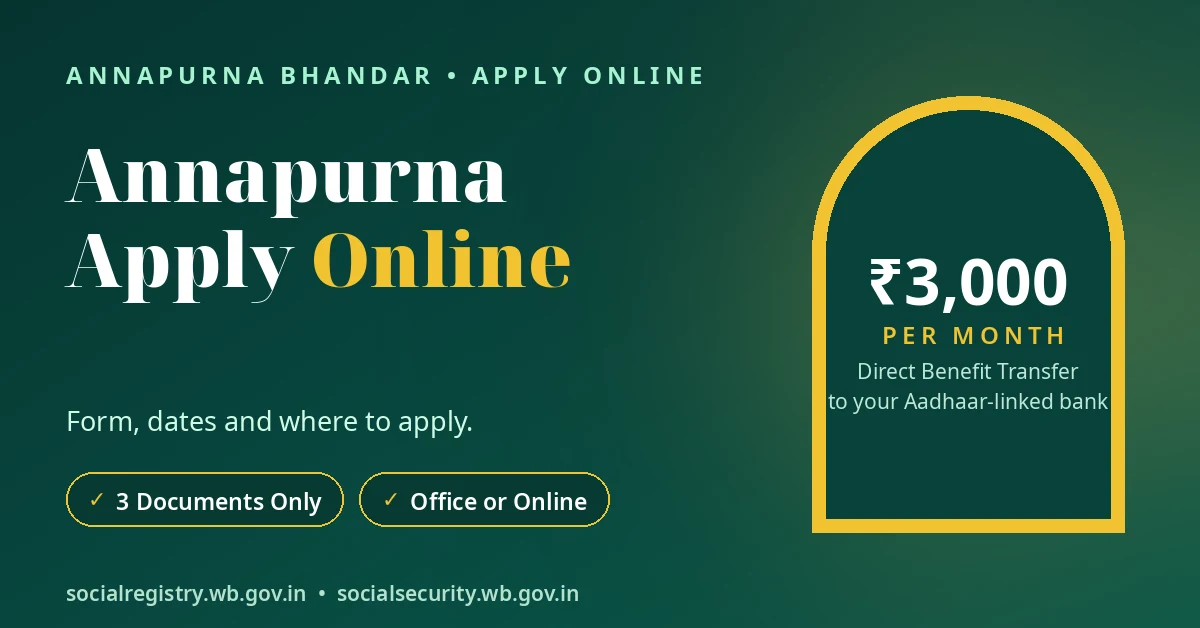
There is no single permanent apply button for Annapurna Yojana. The government opens applications in specific windows and closes them between those periods.
The Social Registry has also temporarily withdrawn portal modules before. During such periods, the status and claim facilities have mostly remained available even when new applications could not proceed.
When did the application camps take place?
The government organised Jan Kalyan Shivir camps from 15 to 17 June 2026 under the department’s SOP. Staff collected Family Level Data Collection forms during this period.
These dates describe a past camp event. They do not establish a permanent application schedule.
What is the last date to apply for Annapurna Bhandar?
The available official sources do not provide one permanent last date for all applications. Each application window has its own dates, which come with that window’s announcement.
Be careful if a website displays a fixed last date without an official announcement. It may give you incorrect information. Check the official Social Registry portal and the notice board at your BDO or SDO office for current application information.
You can also follow our Annapurna application window and camps tracker for information about announced windows and dated camps.
Form PDF — English, Bengali and Hindi
You do not have to complete the application only in English. The Social Security portal’s public page offers Annapurna Yojana form downloads in three languages:
- English
- Bengali
- Hindi
Download the version you can read comfortably and complete the form in that language.
Our Annapurna Bhandar form PDF guide explains the official download route and available language versions.
Is the form PDF free?
Yes. The official form download is free.
Do not pay anyone for a PDF copy. A WhatsApp or Facebook message demanding a form fee matches the fraud pattern that officials have warned people about.
Always use the official government portal or the authorised office route.
After You Apply — What Happens Next
Submitting your form is the beginning of the application process. Your application moves through several administrative stages before the government sanctions it.
The official process follows this order:
- Enquiry: Authorised officials enquire into your application.
- Recommendation: The BDO recommends applications in rural areas, while the SDO recommends applications in urban areas.
- Sanction: The District Magistrate sanctions the eligible list. In the Kolkata/KMC area, the KMC Commissioner handles this responsibility.
- Report upload: Officials upload the sanctioned report to the Annapurna Yojana portal.
When does payment begin?
The payment process begins only after the government sanctions your application.
The government sends the benefit through Direct Benefit Transfer (DBT) to your Aadhaar-linked bank account. Payments have taken place in reported rounds, so do not expect a fixed monthly payday.
How can you check your application status?
You can use the available citizen-facing portal facilities to check your application stage. The Social Registry Citizen or Family Login also lets you open your family record and view its status.
For the two status-checking routes and their steps, see our Annapurna homepage status-check guide.
How do you confirm that the money reached your bank?
Do not treat an application approval or portal entry as proof that money has reached your account.
Check your Aadhaar-linked bank account’s passbook, bank statement or SMS to confirm the DBT credit. Our Annapurna Bhandar payment status guide explains how to check the actual bank credit.
Apply Safely — The Fraud Pattern
Fake Annapurna application links appeared even before the official portal became active.
On 25 May 2026, The Telegraph reported a minister’s warning against trusting fake application links. Bengal Police also ran an awareness campaign against mirror websites that collect bank and mobile details.
Follow these safety rules:
- Use only the two official application routes. Apply through the Family Level Data Collection form at the authorised office or through the official Social Registry portal.
- Avoid unofficial apps. No official mobile app for Annapurna Yojana appears in the official sources.
- Ignore WhatsApp and Facebook enrolment offers. Do not enter personal details through links shared on these platforms.
- Never share your OTP. Keep your OTP and bank credentials private.
- Never pay an agent. The application form is free. Nobody should demand a form fee or release fee.
- Report cyber fraud. If you encounter cyber fraud, report it by calling 1930.
A website that looks like a government portal does not automatically make it genuine. Check the official website address before entering your information.
বাংলায় সংক্ষেপে
অন্নপূর্ণা যোজনার জন্য আবেদন করার দুটি উপায় রয়েছে: BDO, SDO বা KMC Ward office-এ Family Level Data Collection form জমা দিতে পারেন, অথবা socialregistry.wb.gov.in পোর্টালে অনলাইনে আবেদন করতে পারেন।
আবেদনের জন্য মাত্র তিনটি জিনিস লাগে: EPIC, Aadhaar এবং একটি সক্রিয় মোবাইল নম্বর। আবেদনপত্র সম্পূর্ণ বিনামূল্যে।
আবেদন নির্দিষ্ট সময়ের window অনুযায়ী খোলে এবং বন্ধ হয়। স্থায়ী কোনও last date নেই।
আবেদনের পরে authorised officials enquiry করেন, তারপর BDO বা SDO recommendation দেন এবং District Magistrate আবেদন sanction করেন।
কোনও mobile app বা agent-এর মাধ্যমে আবেদন করবেন না। কাউকে OTP বা bank details দেবেন না।
Conclusion
You can apply for Annapurna Bhandar through two official routes: online on the Social Registry or offline at your BDO, SDO or KMC Ward office. Both routes use the same Family Level Data Collection form. Keep your EPIC, Aadhaar and active mobile number ready. The application is free, and you do not need a ration card.
Application windows decide when you can submit a new form. If the online facility is closed, contact your local office about the offline route. Avoid unofficial websites, apps and agents, and never share your OTP or bank credentials.
Disclaimer: This website is an independent information guide. It is not a government website and has no affiliation with the Government of West Bengal. We cannot take, approve or change your application. We do not collect your personal details or documents. Apply only through the official offices and the official portal.
FAQs
How can I apply for Annapurna Bhandar online?
Open the official Social Registry portal at https://socialregistry.wb.gov.in and use the Family Level Data Collection facility. Complete the form and submit it during an open application window.
Where do I apply offline for Annapurna Yojana?
Visit your BDO office if you live in a rural area, your SDO office if you live in an urban area, or your KMC Ward office in Kolkata. Ask for the Family Level Data Collection form for Annapurna Yojana.
Which documents do I need to apply?
You need three mandatory items: EPIC (voter card), Aadhaar and an active mobile number. A ration card is not mandatory.
Is there a fee for the Annapurna application form?
No. The Family Level Data Collection form is free, both through the official office route and the official online route. Do not pay agents or anyone demanding a form fee.
What is the last date to apply for Annapurna Bhandar?
There is no permanent official last date. The government announces dates for individual application windows, so check the official portal and your local BDO or SDO office.
Can I apply through a mobile app or an agent?
No official Annapurna Yojana mobile app or agent application route appears in the official sources. Use only the Social Registry portal or the authorised government offices.
I applied already. How do I know what happens next?
Authorised officials first enquire into your application. The BDO or SDO then recommends eligible applications, and the District Magistrate sanctions them. The KMC Commissioner handles sanction in the Kolkata/KMC area.
The online form is not open. What should I do?
New online applications open only during specific windows. Contact your BDO, SDO or KMC Ward office and ask about submitting the Family Level Data Collection form offline.
Application details last checked: 10 November 2026.